↑↓ navigate ⏎ go esc close

SDR / SIGINT RSS

Software defined radio, signal intelligence, RF projects — no fluff, just signal (literally)

Discovery Drive antenna rotator crowdfunding campaign
SDR Hardware Feb 26, 2026

Antenna Rotator Crowdfunding Campaign Launches on Discovery Drive

A new motorized antenna rotator designed for SDR enthusiasts has launched on the Discovery Drive crowdfunding platform, promising automated satellite tracking and directional reception for home stations.

Read source

A new crowdfunding campaign on the Discovery Drive platform is offering a motorized antenna rotator built specifically for the SDR and amateur radio community. The device aims to solve one of the most common pain points for hobbyists: manually aiming directional antennas for satellite passes and weak signal reception.

What the rotator offers:

• Motorized azimuth and elevation control for directional antennas
• Software integration for automated satellite tracking
• Designed for RTL-SDR and similar low-cost receiver setups
• Open protocol for custom software integration

Antenna rotators are essential for serious SDR work involving satellites, weather imagery (NOAA, Meteor-M), and long-distance reception. Most commercial rotators are designed for ham radio and priced accordingly — often $300+ for basic models. This campaign targets the budget-conscious SDR hobbyist who wants automated tracking without the ham radio price tag.

Discovery Drive is a newer crowdfunding platform that has been gaining traction in the electronics and radio hobbyist space as an alternative to Kickstarter and Indiegogo.

The campaign includes early-bird pricing and estimated delivery timelines. As with all crowdfunding, standard caveats apply — but the SDR community has been receptive to the project based on early prototypes shared in forums.
Echo iOS app for remote KiwiSDR receiver access
SDR Software Feb 19, 2026

Echo: New iOS App Brings KiwiSDR Remote Receivers to Your Phone

A new iOS app called Echo provides native access to the worldwide network of KiwiSDR receivers, letting users tune into shortwave, amateur radio, and utility stations from hundreds of locations around the globe — all from an iPhone.

Read source

KiwiSDR is one of the most remarkable projects in the radio world: a network of web-accessible software defined radios hosted by volunteers worldwide. Anyone can tune into a KiwiSDR in Japan, New Zealand, Europe, or South America and listen to live radio from that location — for free.

Until now, accessing KiwiSDR on mobile has meant using the web interface, which works but isn’t optimized for phones. Echo changes that with a purpose-built iOS app.

Key features:

• Native iOS interface optimized for iPhone and iPad
• Browse and connect to KiwiSDR receivers worldwide
• Waterfall spectrum display with touch-to-tune
• Support for AM, SSB, CW, and FM demodulation modes
• Frequency bookmarks and station presets
• Receiver filtering by location, frequency range, and availability

Why it matters: KiwiSDR access on a phone means you can monitor shortwave broadcasts, amateur radio DX, aviation weather, maritime communications, and utility stations from anywhere. Commuting, traveling, or just away from your shack — the entire HF spectrum is in your pocket.

The KiwiSDR network currently has over 600 active receivers in dozens of countries. Each covers 0–30 MHz with up to 4 simultaneous users. Echo makes this network genuinely mobile for the first time.

Analog Radio Hunter software for identifying radio signals
SDR Software Feb 17, 2026

Analog Radio Hunter: Software That Scans and Identifies Unknown Radio Signals

A new open-source tool called Analog Radio Hunter automates the process of scanning radio bands and identifying analog signals — from FM broadcasts to aviation comms to two-way radio systems — using an RTL-SDR dongle.

Read source

One of the most fun things you can do with a cheap RTL-SDR dongle is scan the airwaves to find out what’s transmitting around you. Analog Radio Hunter automates and systematizes that process.

What it does:

• Automatically scans user-defined frequency ranges
• Detects active signals above a configurable threshold
• Identifies signal type (FM, AM, narrowband FM, etc.)
• Logs discovered signals with frequency, modulation, and signal strength
• Works with RTL-SDR and compatible USB SDR dongles

The software is particularly useful for beginners who have an RTL-SDR but don’t know what frequencies are active in their area. Instead of manually tuning through megahertz of spectrum, Analog Radio Hunter does the scanning and presents a list of active signals to explore.

Practical uses:

• Discovering local repeaters and simplex frequencies
• Finding active aviation, marine, or weather frequencies
• Mapping the RF environment around your location
• Identifying interference sources
• Learning about different modulation types by example

The tool runs on Windows and Linux and requires only a basic RTL-SDR setup. It’s open source and available on GitHub, making it easy to extend and customize for specific frequency ranges or signal types.

Iridium-Sniffer tool for decoding satellite pager messages
SIGINT Feb 17, 2026

Iridium-Sniffer: Decode Satellite Pager Messages with an RTL-SDR

A new tool called Iridium-Sniffer makes it straightforward to receive and decode Iridium satellite pager ring alerts and short burst data messages using nothing more than an RTL-SDR dongle and a basic antenna.

Read source

The Iridium satellite constellation operates 66 active satellites in low Earth orbit, providing global communications coverage including voice, data, and paging services. The paging system uses L-band frequencies around 1626 MHz that are receivable with consumer SDR hardware.

What Iridium-Sniffer does:

• Receives Iridium satellite downlink signals at ~1626 MHz
• Decodes ring alert messages (pager notifications)
• Extracts short burst data (SBD) messages
• Displays decoded data in real time
• Works with RTL-SDR V3 and similar wideband receivers

What you can see: Iridium ring alerts are essentially satellite pager messages. When someone sends a message to an Iridium pager, the constellation broadcasts a ring alert that’s receivable by anyone with the right equipment. The alerts include metadata about the transmission but not the actual pager content (which is encrypted for subscriber devices).

Hardware requirements: An RTL-SDR Blog V3 dongle ($30) with a 1626 MHz capable antenna. A simple quarter-wave ground plane antenna for L-band works well. The software handles the signal processing and protocol decoding.

This builds on earlier Iridium decoding work (like gr-iridium) but packages it in a more accessible, user-friendly tool. It’s a fascinating demonstration of what’s visible in the RF spectrum overhead — satellite communications happening constantly, invisible to most people but decodable with $30 in hardware.

xSDR M.2 form factor software defined radio crowdfunding
SDR Hardware Feb 17, 2026

xSDR: A Software Defined Radio That Fits in Your Laptop’s M.2 Slot

A new crowdfunding campaign is offering xSDR, a wideband software defined radio in the M.2 form factor. It plugs directly into a laptop or desktop M.2 slot, eliminating USB bottlenecks and external dongles entirely.

Read source

Most SDR hardware connects via USB, which works but introduces latency, bandwidth limitations, and the annoyance of yet another dongle. xSDR takes a different approach: it’s built on the M.2 form factor used by NVMe SSDs and WiFi cards, plugging directly into the high-speed PCIe bus inside your computer.

Key specifications:

M.2 2230 form factor — fits in standard M.2 slots (same size as a WiFi card)
Wideband coverage — designed for wide frequency range reception
PCIe interface — higher bandwidth and lower latency than USB
SMA antenna connector — standard connector for external antennas
Software compatible — works with existing SDR software ecosystems

Why M.2 matters: USB 2.0 (used by RTL-SDR) maxes out at ~2.4 MS/s of IQ data. USB 3.0 SDRs like the Airspy improve on this but still add a cable and dongle. An M.2 PCIe connection can handle significantly higher sample rates with lower latency, enabling wider bandwidth captures and better real-time processing.

The M.2 form factor is particularly interesting for portable setups. A laptop with xSDR installed becomes a self-contained SDR station — no external hardware beyond an antenna. This is appealing for SIGINT research, RF surveying, and field work where minimizing equipment is important.

The campaign is live now with early-bird pricing. As with all crowdfunding SDR projects, delivery timelines and final specs may shift, but the concept addresses a genuine gap in the current SDR hardware market.

HackRF Pro next-generation SDR transceiver with USB-C and TCXO
SDR Hardware Jun 25, 2025

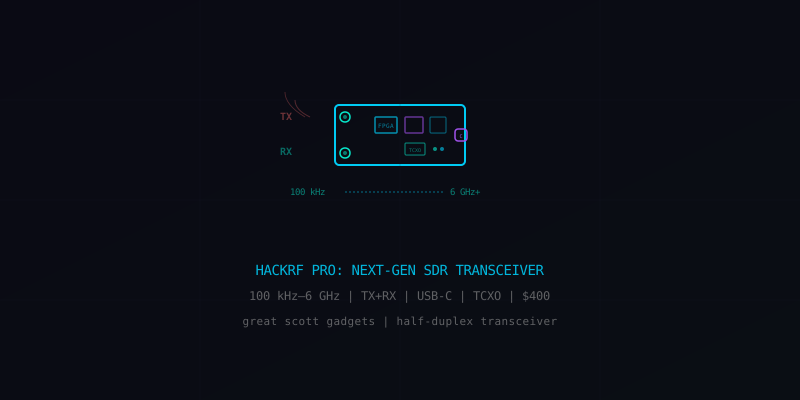
HackRF Pro: The Iconic Open-Source SDR Gets Its Biggest Upgrade in a Decade

Great Scott Gadgets announced the HackRF Pro — extending coverage down to 100 kHz, adding a TCXO for frequency stability, upgrading to USB-C, and eliminating the infamous DC spike. $400, shipping September 2025.

Read source

The HackRF One has been the go-to open-source SDR transceiver since 2014. It’s the tool that launched a thousand hacking talks, RF research projects, and garage SIGINT setups. The HackRF Pro is the first major hardware revision in over a decade.

What’s new in the Pro:

Extended frequency range — lower limit drops from 1 MHz to 100 kHz, opening up LF/VLF reception (navigation beacons, time signals, submarine comms)
TCXO crystal oscillator — built-in temperature-compensated oscillator for stable frequency accuracy without external clocking
USB-C — finally replaces the fragile microUSB connector that plagued the original
DC spike eliminated — the artifact at center frequency that ruined many a waterfall display is gone
Improved shielding — better RF performance and flatter frequency response
CPLD replaced with FPGA — more capable programmable logic
16-bit output mode — available at lower sample rates for improved dynamic range

What stays the same: Half-duplex operation (TX or RX, not simultaneously), up to 20 MS/s sample rate, 8-bit quadrature samples at full rate, and full backward compatibility with existing HackRF One software.

At $400, the Pro is twice the price of the original HackRF One ($300 street price). But for serious RF work, the TCXO alone justifies the premium — frequency drift has been the biggest practical complaint about the original for years.

The HackRF Pro doesn’t compete with full-duplex MIMO platforms like the bladeRF or USRP. It stays in its lane: an affordable, versatile, open-source half-duplex transceiver that’s good enough for an enormous range of RF experimentation, from replay attacks to satellite reception to custom protocol development.

bladeRF 2.0 micro full-duplex MIMO SDR platform
SDR Hardware SDR Platform

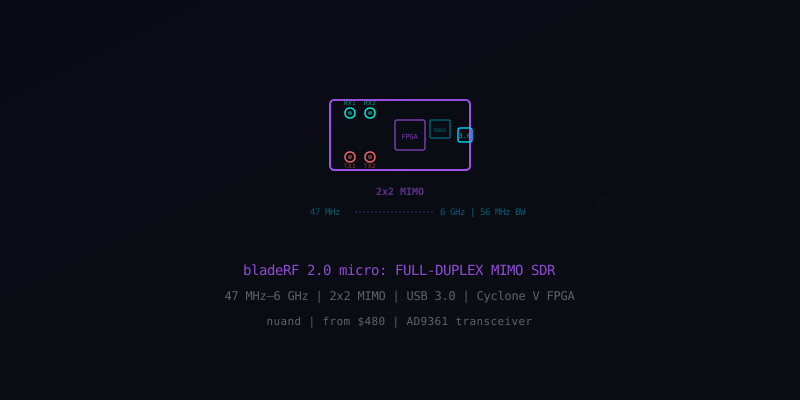
bladeRF 2.0 micro: Full-Duplex 2×2 MIMO SDR with Onboard FPGA

Nuand’s bladeRF 2.0 micro packs a full-duplex 2×2 MIMO transceiver covering 47 MHz to 6 GHz with up to 122 MHz of instantaneous bandwidth, an Analog Devices AD9361 RF front-end, and an Intel Cyclone V FPGA — all over USB 3.0 starting at $480.

Read source

If the HackRF is the Swiss Army knife of SDR, the bladeRF 2.0 micro is the surgical scalpel. It’s a serious full-duplex MIMO platform that bridges the gap between hobbyist SDRs and professional-grade hardware like the Ettus USRP.

Key specifications:

Frequency range: 47 MHz – 6 GHz (TX and RX)
Bandwidth: Up to 56 MHz (expandable to 122.88 MHz in 8-bit mode via firmware update)
MIMO: 2×2 — two independent RX and two independent TX channels, phase-coherent
ADC/DAC: 12-bit resolution
RF transceiver: Analog Devices AD9361 — the same chip used in military and commercial SDR platforms
FPGA: Intel Cyclone V (xA4: 49K logic elements; xA9: 301K logic elements)
Interface: USB 3.0 SuperSpeed
Full-duplex: Simultaneous transmit and receive

Why MIMO matters: Two synchronized receive channels enable direction finding, beamforming, and diversity reception. Two TX channels enable beamforming on transmit and complex waveform generation. This is what makes the bladeRF relevant for GSM/LTE base station research, radar prototyping, and electronic warfare experimentation.

Two models:

xA4 ($480) — smaller FPGA, sufficient for most SDR applications
xA9 ($720) — larger FPGA with 6× more logic elements, needed for complex DSP chains or custom signal processing on the FPGA itself

Software ecosystem: Works with GNU Radio, SDR#, MATLAB, Simulink, SoapySDR, and Pothos. Nuand provides open-source FPGA designs and host libraries, so you can customize the entire signal chain from antenna to application.

The bladeRF occupies a sweet spot: it’s affordable enough for advanced hobbyists and researchers, but capable enough for real protocol development, SIGINT research, and waveform prototyping that would otherwise require hardware costing 5–10× more.

SatNOGS open-source satellite ground station network with 4000 stations
SIGINT Resource

SatNOGS: 4,000+ Volunteer Ground Stations Tracking Every Satellite in Orbit

The Libre Space Foundation’s SatNOGS project is a global open-source network of satellite ground stations built from RTL-SDR dongles and Raspberry Pis. Over 4,000 volunteer-operated stations automatically schedule observations, decode telemetry, and upload data to a public database.

Read source

SatNOGS (Satellite Networked Open Ground Station) might be the most ambitious open-source hardware project you’ve never heard of. It’s a distributed network of satellite ground stations operated by volunteers worldwide, coordinated through a central scheduling system that automatically assigns satellite passes to nearby stations.

How it works:

• Volunteers build ground stations using RTL-SDR receivers, Raspberry Pis, and either omnidirectional or tracking antennas
• The SatNOGS scheduler automatically assigns satellite observation jobs based on each station’s location, antenna capabilities, and satellite orbit predictions
• Stations record RF data during satellite passes and upload decoded telemetry to the SatNOGS database
• All collected data is publicly available through SatNOGS DB — a machine-readable crowdsourced satellite information database

The network today:

4,000+ registered ground stations across dozens of countries
• Hundreds of active stations processing observations daily
• Tracks CubeSats, weather satellites, amateur radio satellites, ISS, and more
• Decodes telemetry from hundreds of active spacecraft

Building a station: The minimum viable SatNOGS station is surprisingly simple — an RTL-SDR Blog V3 ($30), a Raspberry Pi ($35–75), a turnstile or QFH antenna (DIY for ~$20 in materials), and the SatNOGS client software (free). A no-rotator setup with an omnidirectional antenna can successfully receive dozens of satellites.

Why it matters: Before SatNOGS, tracking satellites required expensive equipment and deep expertise. Now a $100 station can contribute real data to a global network. Universities use SatNOGS to track their CubeSats. Amateur radio operators use it to monitor satellite health. Researchers use the database for scientific analysis. And hobbyists use it as the gateway drug to serious satellite communications.

Everything is open source — hardware designs, software, scheduling algorithms, and data. The Libre Space Foundation that runs SatNOGS won the 2014 Hackaday Prize.

USA-SATCOM weather satellite SDR software suite
SDR Software Resource

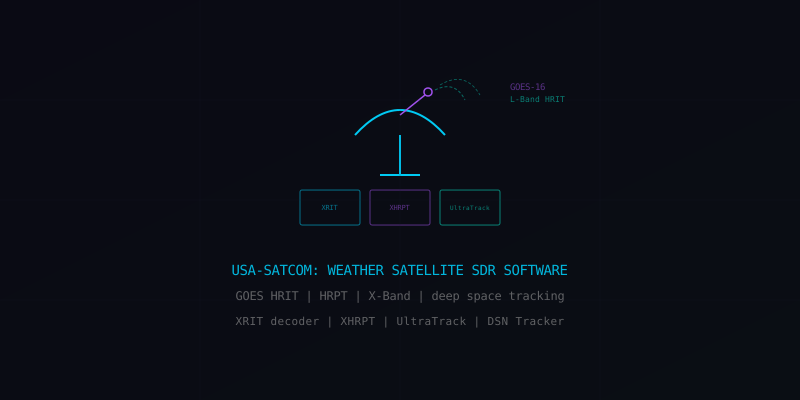
USA-SATCOM: Professional Weather Satellite Decoding and Tracking Software for SDR

USA-SATCOM develops specialized software for receiving and decoding weather satellite imagery using SDR hardware — from GOES geostationary HRIT to polar-orbiting HRPT to deep space tracking on S-Band and X-Band frequencies.

Read source

Receiving weather satellite imagery directly is one of the most rewarding things you can do with SDR hardware. USA-SATCOM makes the software that turns raw RF into actual satellite photos — and their tools cover everything from beginner NOAA APT reception to advanced GOES GRB decoding.

Software suite:

XRIT Decoder — processes HRIT (High Rate Information Transmission) data from GOES geostationary satellites on L-Band. This is how you get those stunning full-disk Earth images in real time.
XHRPT Decoder — handles HRPT (High Resolution Picture Transmission) from polar-orbiting weather satellites like NOAA-18/19 and Meteor-M on L-Band
UltraTrack — automated satellite tracking software optimized for X-Band and L-Band weather satellite reception with antenna rotator control
DSN Tracker — deep space tracking for S-Band and X-Band frequencies (yes, you can track deep space probes with the right hardware)
Pine Gap — automated IQ recording software compatible with UltraTrack and LimeMicro SDRs
SUVI Play / GRB Play — process and animate solar imagery and full-resolution GOES GRB data

Hardware requirements vary by target:

GOES HRIT/LRIT — requires a ~1 meter dish, SAWbird LNA, and an RTL-SDR or Airspy SDR
Polar HRPT — dish antenna with tracking, LNA, and wideband SDR (Airspy Mini recommended)
X-Band — larger dish, specialized LNB, and high-bandwidth SDR
Deep space — serious dish (3m+), cryogenic or high-gain LNA, and precision tracking

USA-SATCOM fills a niche that open-source tools don’t fully cover yet — particularly the integrated tracking + recording + decoding workflow for advanced satellite reception. If you’re beyond NOAA APT and want to receive real-time GOES imagery or track deep space signals, this is the software stack to look at.

Signal Identification Wiki database of radio signals with waterfall images and audio
SDR Software Resource

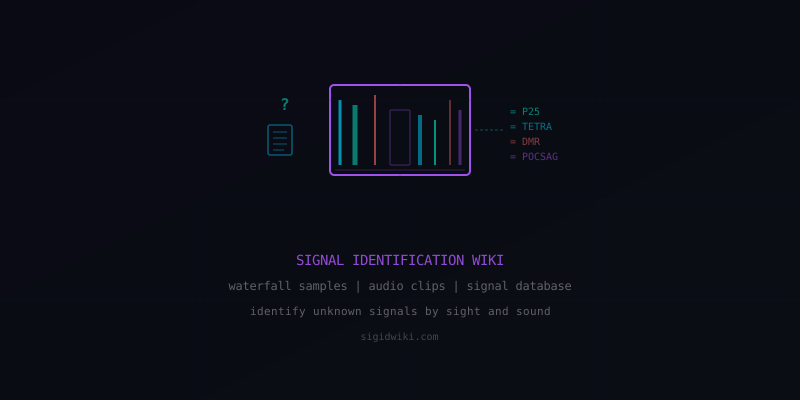
Signal Identification Wiki: 579 Signals Cataloged with Waterfall Images and Audio Samples

SigIDWiki is a crowdsourced database of radio signals with waterfall spectrograms, audio clips, and technical details for every entry — from military radar to numbers stations to digital trunked radio. The essential reference for identifying unknown signals on your SDR.

Read source

Every SDR user has had the same experience: you’re scrolling through the waterfall, you see an interesting signal, and you have absolutely no idea what it is. SigIDWiki exists to answer that question.

The database:

579 identified signals with full documentation
393 unidentified signals awaiting community identification
53 requested signals that users want documented
• Crowdsourced and continuously updated by the SDR community

Each entry includes:

• Waterfall spectrogram images showing what the signal looks like visually
• Audio samples so you can hear what the signal sounds like
• Frequency ranges where the signal is typically found
• Bandwidth, modulation type, and technical parameters
• Description of what the signal is and who uses it
• Status (active/inactive) and geographic distribution

Signal categories span everything:

Military — radar systems, STANAG, HFGCS, EAM broadcasts
Aviation — ACARS, VDL, ADS-B, SELCAL, HF VOLMET
Satellite — Inmarsat, Iridium, NOAA APT, Meteor LRPT
Numbers stations — the mysterious shortwave broadcasts from intelligence agencies
Digital modes — DMR, P25, TETRA, POCSAG, dPMR
Utility — time signals, navigation beacons, weather fax
Radar — OTH radar, weather radar, marine radar

How to use it: See an unknown signal on your waterfall? Match its visual appearance and bandwidth against SigIDWiki entries. Listen to the audio samples. Check the frequency. Within minutes you can go from “what is that?” to “that’s a Russian Buzzer UVB-76 transmission.”

This is arguably the single most useful resource in the SDR hobby. Bookmark it. You’ll use it constantly.

DIY IMSI catcher stingray built with $20 RTL-SDR from Amazon
SIGINT Nov 16, 2018

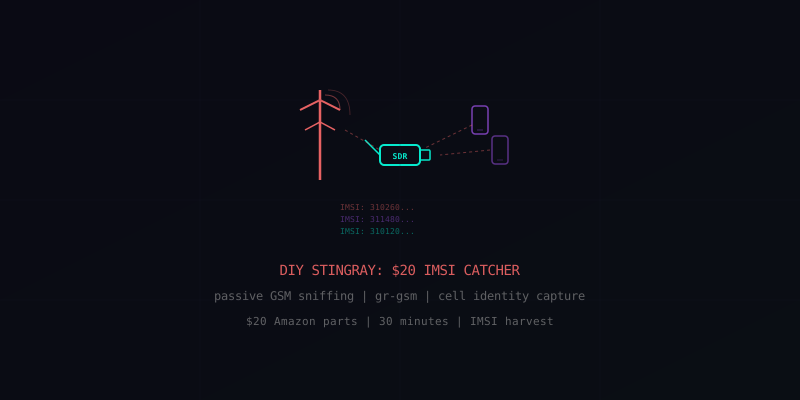
Build Your Own Stingray: $20 in Amazon Parts Turns an RTL-SDR into a Passive IMSI Catcher

A Motherboard investigation showed that a $20 RTL-SDR dongle, a free Python script, and 30 minutes of setup is all it takes to passively harvest cell phone IMSI numbers from every 2G/3G device in range — no transmitting required.

Read source

This 2018 Motherboard article remains one of the most important pieces ever written about accessible surveillance technology. It demonstrated that the core capability of law enforcement “Stingray” devices — identifying nearby cell phones by their unique IMSI number — could be replicated with hardware cheaper than a large pizza.

The setup:

Hardware: NooElec NESDR Mini RTL-SDR dongle (~$20 from Amazon)
Software: Ubuntu Linux + gr-gsm + IMSI-catcher Python script by Oros42 (all free, all on GitHub)
Time: ~30 minutes from unboxing to capturing IMSIs
Skill required: Basic Linux command line

How it works: GSM (2G) cell towers broadcast unencrypted control channels that include paging messages for nearby phones. These paging messages contain the phone’s IMSI — a unique identifier tied to the SIM card. The RTL-SDR receives these broadcasts, gr-gsm decodes the GSM protocol, and the Python script extracts and logs the IMSIs.

What it captures:

• IMSI (International Mobile Subscriber Identity) — unique SIM identifier
• Country and carrier associated with each phone
• Timing and frequency of paging requests

What it does NOT capture: Call content, text messages, data traffic, or any encrypted information. This is strictly a passive receiver — it does not transmit, does not interfere with networks, and does not perform man-in-the-middle attacks.

Passive vs. active distinction: Real law enforcement Stingrays are active IMSI catchers — they impersonate cell towers, force phones to connect, and can intercept communications. That requires a transmitter and is illegal without authorization. A passive IMSI catcher only listens to what’s already being broadcast. The legal status of passive reception varies by jurisdiction.

Why it still matters: Roughly 46% of the world’s phones still use 2G/3G networks. Even in countries with widespread 4G/5G, phones fall back to older protocols in areas with weak coverage. The fundamental vulnerability — unencrypted broadcast paging — is baked into the GSM standard and cannot be patched.

This article changed the conversation about surveillance technology by proving it wasn’t limited to governments with six-figure budgets. Anyone with $20 and an afternoon can identify every 2G/3G phone in their vicinity.

Build your own GSM base station with BladeRF and OpenBTS
SIGINT Apr 8, 2016

Build Your Own GSM Base Station for Fun and Profit

A Hackaday deep-dive into building a rogue GSM base station using a BladeRF x40 ($420) and a Raspberry Pi 3 — replicating surveillance hardware that costs governments $16,000–$125,000.

Read source

The hardware: A BladeRF x40 software-defined radio ($420) provides full-duplex USB 3.0 transmission and reception. Paired with two rubber duck antennas, a Raspberry Pi 3, and a USB power bank, this creates a portable cellular base station that fits in a backpack.

How GSM is broken: The GSM encryption standard uses A5 ciphers that were cracked at CCCamp 2007 using rainbow tables. The protocol has fundamental cryptographic weaknesses — GPRS data transmission methods are exploitable, and the entire authentication model is one-directional (phones trust any tower that responds correctly, but towers don’t authenticate to phones).

What this enables:

• Create a temporary GSM network for events or remote areas
• Intercept unencrypted GSM signals in the local area
• Research cellular protocol vulnerabilities
• Test phone security against rogue base stations

Software stack: Open-source tools like OpenBTS and osmo-bts handle the GSM protocol stack. Combined with the BladeRF’s full-duplex capability, this creates a functional BTS (Base Transceiver Station) that phones will connect to if it offers a stronger signal than legitimate towers.

The bigger picture: Commercial IMSI catchers (Stingrays) used by law enforcement cost $16,000–$125,000. This DIY build replicates much of that functionality for under $500. While the article frames it for legitimate research and temporary networks, it exposed how accessible cellular surveillance technology has become.

Legal note: Operating a rogue base station is illegal in most jurisdictions. Transmitting on cellular frequencies without authorization violates FCC regulations (in the US) and equivalent laws worldwide. This article is for educational purposes.

Satellite dish alignment tools - SatFinder, DishPointer, SATFINDER BT
Satellite Tools Resource

Satellite Dish Alignment: SatFinder, DishPointer, and SATFINDER BT Compared

Three essential tools for pointing your satellite dish with precision — from free mobile apps with AR overlays to professional Bluetooth hardware meters with real MER/BER measurement.

DishPointer

SatFinder / SatFinder Pro (Android, free / $2.99)

Calculates azimuth, elevation, and LNB skew from your GPS location. Features an AR camera view showing satellite positions in the sky, built-in compass, and Google Maps overlay. The transponder database (200+ satellites) updates weekly with both FTA and encrypted channels. Developer: Maciej Grzegorczyk.

DishPointer (Web, Android, iOS — free / Pro)

The industry-standard alignment tool used by professional installers worldwide. Web version works in any browser with satellite direction lines overlaid on Google Maps. Mobile Pro version adds AR mode — see satellite positions through your phone camera in real time. Includes a step-by-step 9-step dish installation guide covering all geostationary TV and internet satellites globally.

SATFINDER BT DVB-S2 (Hardware + Android/iOS app)

Professional-grade Bluetooth satellite meter by Alpsat. Full-band real-time spectrum analyzer (950–2150 MHz, 350ms refresh rate). Measures signal strength in dBuV/dBmV/dBm with real MER/BER readings, S/N and C/N readouts, and constellation (I/Q) diagrams. Supports 250 satellites, 32 LNB type presets, DiSEqC 1.0/1.1/1.2, Ka/Ku/C band, and runs ~3 hours on its 2000mAh Li-Po battery. GPS-based satellite position and LNB skew calculation built in.

Quick comparison:

Budget/casual: SatFinder (free Android app) — good enough for most home installs
Professional web tool: DishPointer — works on any device, great AR mode
Professional installer: SATFINDER BT — real signal measurement, worth the investment for multi-install jobs

Satellite pass trackers - Look4Sat, Orbitrack, Gpredict
Satellite Tools Resource

Satellite Pass Trackers: Look4Sat, Orbitrack, and Gpredict for Amateur Radio

Three satellite tracking tools for predicting passes, plotting orbits, and controlling rotators — covering Android, iOS/Mac, and Linux desktop platforms.

Look4Sat GitHub

Look4Sat (Android — free, open source, GPLv3)

Inspired by Gpredict, this Kotlin-based app predicts satellite passes up to a week in advance. Features polar trajectory plots showing real-time pass progress, world map with satellite ground tracks and footprints, and transceiver/frequency info pulled from the SatNOGS database. Tracks 5,000+ active satellites via Celestrak and SatNOGS TLE data. Offline-first design — all prediction runs locally. Available on Google Play, F-Droid, and Amazon Appstore.

Orbitrack (iOS, macOS, Android — $4.99)

Polished commercial tracker with augmented reality and stereo VR modes. Tracks 5,000+ spacecraft including ISS, Starlink, and classified military satellites. AR sky view blends camera feed with satellite positions using GPS and motion sensors. VR mode supports voice commands with smartphone VR viewers. Hourly automatic TLE updates from CelesTrak and N2YO. Native Apple Silicon support on Mac. Developer: Southern Stars Group.

Gpredict (Linux, Windows, macOS — free, open source, GPL)

The gold standard for desktop satellite tracking. Uses SGP4/SDP4 propagation with NORAD two-line element sets. Track unlimited satellites across multiple visualization modes: list view, world map, polar plot — all simultaneously in tabs or separate windows. Key feature: radio and rotator control via Hamlib integration for fully automated satellite station operation. Frequently used as the backend tracker for amateur radio ground stations worldwide.

Best for:

Mobile pass prediction: Look4Sat (free, open source, great SatNOGS integration)
Visual tracking + AR: Orbitrack (polished UI, VR mode, military satellite database)
Ground station automation: Gpredict (Hamlib rotator control, unlimited satellites)

SDR-Console V3 with satellite tracking and Doppler correction
SDR Software Resource

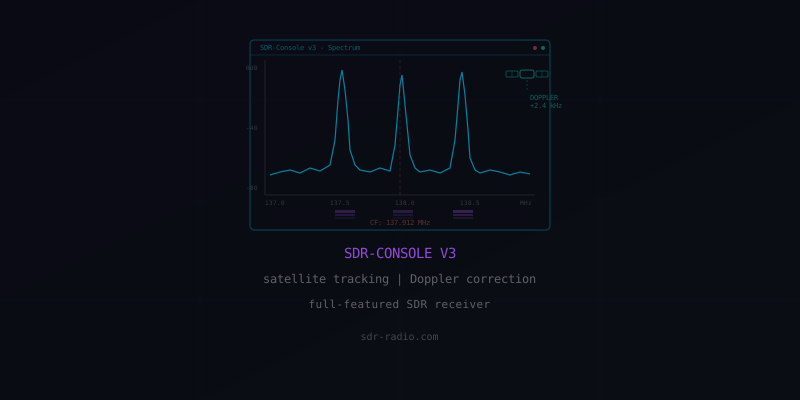
SDR-Console V3: Full-Featured SDR Receiver with Satellite Tracking and Doppler Correction

Free Windows SDR software with built-in satellite tracking, automatic Doppler correction, pass scheduling, and support for SDRplay, Airspy, RTL-SDR, and dozens more hardware devices.

sdr-radio.com

Satellite tracking module: SDR-Console V3 has a built-in satellite tracker that goes beyond simple pass prediction. It automatically applies Doppler frequency correction for non-geostationary satellites in real time, handles pass prioritization, and can automatically switch between satellites as they rise and set.

Core DSP features: Advanced noise reduction, CW Skimmer for automatic Morse decoding, IQ recording and playback for offline analysis, independent multi-receiver control with matrix view, and a recording scheduler for unattended captures.

Hardware support: Works with SDRplay (RSP1, RSP1A, RSPdx, RSPduo), Airspy (R2, Mini, HF+), RTL-SDR, and many other devices. Also supports external radio control (FT-991, IC-706, etc.) for transmitting alongside SDR reception.

Remote operation: Server mode allows running the SDR hardware on one machine and controlling it from another over the network. Useful for remote antenna setups or shared station access.

Why it matters: SDR-Console is arguably the most feature-complete free SDR application available. The satellite tracking integration alone makes it worth installing — no need to run separate tracking software. The Doppler correction is essential for receiving weather satellites (NOAA, Meteor-M), amateur radio satellites, and ISS SSTV transmissions.

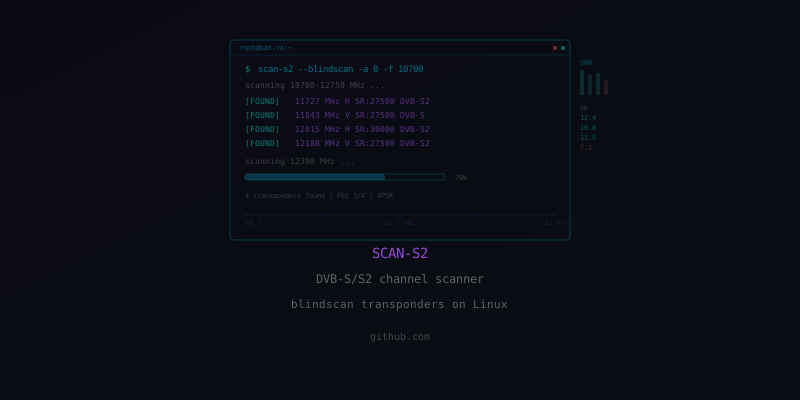
scan-s2 DVB-S/S2 channel scanner for Linux
SDR Software Resource

scan-s2: Linux DVB-S/S2 Channel Scanner and Blindscan Tool

Command-line DVB-S and DVB-S2 transponder scanner for Linux — generates channels.conf files by scanning frequency lists, with support for QPSK through 32APSK modulations and blind scanning.

GitHub

What it does: scan-s2 takes an initial tuning file (list of known transponder frequencies) and scans each one to discover all available channels. It outputs a channels.conf file in VDR or ZAP format that can be used with VLC, mpv, or dedicated DVB applications.

Modulation support: Handles QPSK, 8PSK, 16APSK, and 32APSK modulations with all standard FEC rates. Auto-detects whether each transponder is DVB-S or DVB-S2 (or can be forced to one mode with the -D flag).

Key features:

• BAT parsing for automatic VDR channel grouping (-B option)
• DiSEqC support (tested with 8-to-1 switches)
• Also handles DVB-C, DVB-T/T2, and ATSC standards
• Requires DVB driver API v5.2+

Companion tool — blindscan-s2: While scan-s2 needs a frequency list to start from, blindscan-s2 discovers transponders without any prior knowledge. It sweeps the entire Ku-band range and reports every active transponder it finds. Essential for unknown or undocumented satellites.

Available forks: The most maintained versions are glenvt18/scan-s2 and crazycat69/scan-s2 on GitHub.

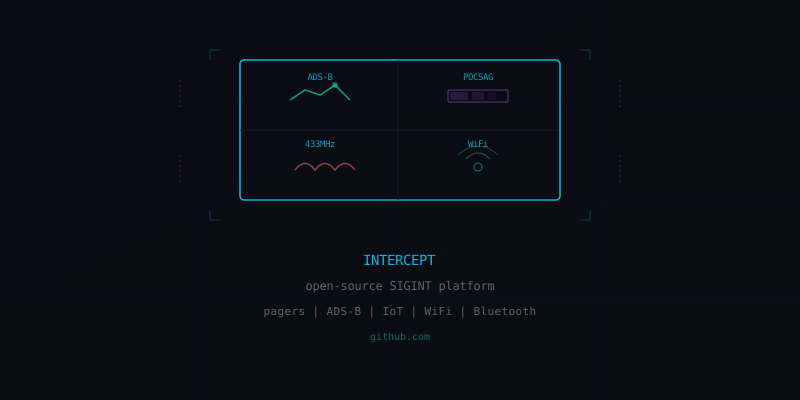
Intercept open-source SIGINT platform for RTL-SDR
SIGINT Jan 14, 2026

Intercept: Open-Source SIGINT Platform Turns Your RTL-SDR into a Multi-Sensor Dashboard

A new open-source signals intelligence tool consolidates POCSAG pager decoding, ADS-B aircraft tracking, 433 MHz IoT monitoring, WiFi recon, and Bluetooth scanning into a single web-based interface — all from a cheap RTL-SDR dongle.

Read source

Demonstrated by Matt at Tech Minds, Intercept is an open-source SIGINT platform available on GitHub that works with any RTL-SDR or SoapySDR-compatible hardware. It runs as a local web application, giving you a unified dashboard for multiple RF intelligence feeds simultaneously.

Capabilities:

POCSAG/FLEX pager decoding — intercept and display pager messages in real time
ADS-B aircraft tracking — map-based display of aircraft positions, altitudes, and flight data
433 MHz IoT sensor monitoring — capture temperature, humidity, and other sensor data from wireless devices
Frequency scanning with audio — sweep and listen across frequency ranges
Satellite pass predictions — plan reception windows for orbiting satellites
WiFi reconnaissance — detect and catalog nearby wireless networks
Bluetooth device detection — identify Bluetooth devices in range

Why it matters: Previously, each of these capabilities required separate software (dump1090 for ADS-B, multimon-ng for pagers, rtl_433 for IoT, etc.). Intercept unifies them into a single interface, dramatically lowering the barrier for RF situational awareness. The web-based UI means you can run it on a headless server and access it from any device on your network.

Runs on Linux and macOS. Compatible with RTL-SDR Blog V3/V4 and any SoapySDR-supported hardware.

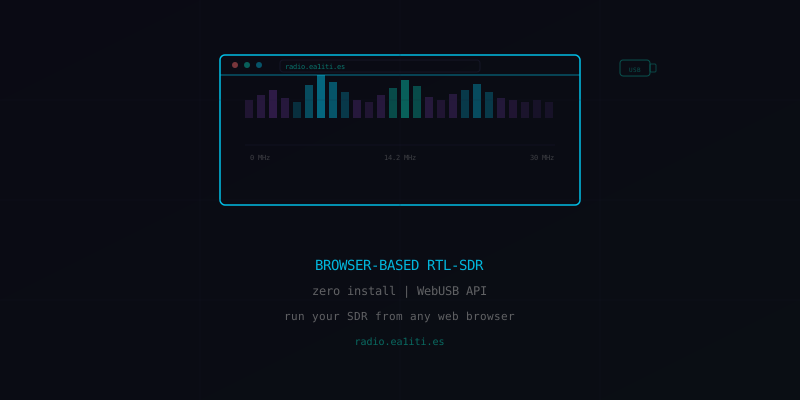
Browser-based RTL-SDR using WebUSB API
SDR Software Mar 4, 2025

Browser-Based RTL-SDR: Run Your Software Defined Radio with Zero Software Installation

A web app using the WebUSB API lets you plug in an RTL-SDR dongle and start receiving signals directly in your browser — no drivers, no software install, no configuration. Just plug and tune.

Read source

Demonstrated by Tech Minds, the EA1ITI RTL-SDR web app at radio.ea1iti.es uses the WebUSB API to communicate directly with an RTL-SDR dongle from a Chromium-based browser. No drivers. No software installation. No command line.

How it works: The WebUSB API (supported in Chrome, Edge, Brave, and other Chromium browsers) allows web pages to communicate with USB devices with user permission. The web app handles all the RTL-SDR initialization, tuning, and demodulation entirely in JavaScript running in the browser.

What you can do:

• Tune across the RTL-SDR’s full frequency range
• AM, FM, USB, LSB demodulation
• Visual spectrum display and waterfall
• Adjust gain, bandwidth, and squelch
• Works on any computer with a USB port and Chrome

Why this matters: The biggest barrier to SDR adoption is software setup. Between driver installation, dependency management, and configuration, many curious newcomers give up before they ever hear a signal. This web app eliminates all of that friction. It’s also perfect for demonstrating SDR at events, libraries, or classrooms where you can’t install software.

The source code is available on GitHub (jtarrio/radioreceiver project). Note: WebUSB is not supported in Firefox or Safari.

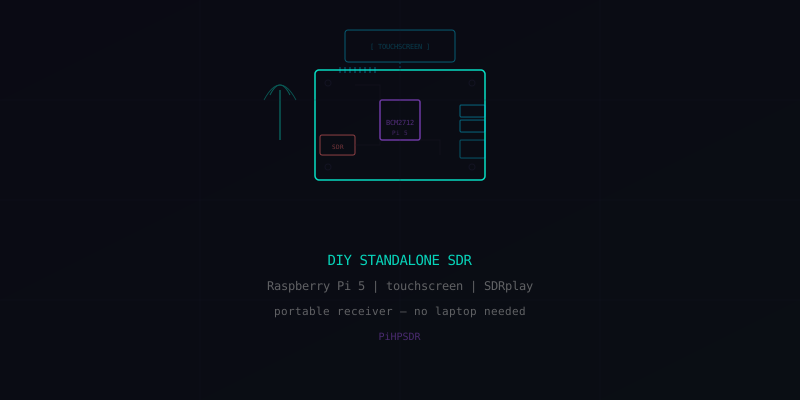
DIY standalone SDR with Raspberry Pi 5 and touchscreen
SDR Hardware Feb 21, 2025

DIY Standalone SDR: Raspberry Pi 5 + Touchscreen + SDRplay — No Laptop Needed

Build a portable, self-contained SDR receiver using a Raspberry Pi 5, a 5-inch touchscreen, and an SDRplay RSPdx running PiHPSDR software. Complete build guide from OS install to first signal.

Read source

Tech Minds walks through building a completely standalone SDR receiver — no laptop, no external monitor, no keyboard required for operation. The finished device is a portable, touchscreen-controlled radio receiver.

Parts list:

• Raspberry Pi 5 (compute platform)
• Elecrow 5-inch touchscreen display
• SDRplay RSPdx (also works with RTL-SDR dongles)
• PiHPSDR software
• Power bank for portable operation

Build process: The video covers the complete assembly from Raspberry Pi OS installation, display configuration, PiHPSDR compilation, and SDRplay driver setup through to first reception. The touchscreen interface provides spectrum display, waterfall, and tuning controls — all touch-operated.

Practical applications:

• Field Day portable HF/VHF/UHF reception
• Portable SIGINT and signal hunting
• Weather satellite reception from anywhere
• Dedicated monitoring station (ADS-B, marine, public safety)
• Ham radio satellite ground station display

Why build one: A standalone SDR frees you from needing a laptop in the field. Battery-powered with a touchscreen, it becomes a purpose-built radio tool. The Raspberry Pi 5’s improved USB and processing power handles wideband SDR reception smoothly — something earlier Pi models struggled with.

Vivid Unit handheld SDR with GPS disciplined oscillator
SDR Hardware Nov 3, 2025

Vivid Unit + GPSDR: A Handheld RTL-SDR with GPS-Disciplined Oscillator for Sub-PPB Accuracy

A single-board computer with built-in LCD, paired with a GPSDR module that combines an RTL-SDR, upconverter, and GPS-disciplined oscillator into a fully portable handheld SDR with lab-grade frequency accuracy.

Read source

Reviewed by Tech Minds, the Vivid Unit is a compact single-board computer with a built-in LCD touchscreen that pairs with the GPSDR module — a custom board combining an RTL-SDR, an HF upconverter, and a GPS-disciplined oscillator (GPSDO) in a single unit.

What makes it special:

GPSDO precision — the GPS-disciplined oscillator locks the RTL-SDR’s reference frequency to GPS atomic clocks, achieving sub-parts-per-billion accuracy. Standard RTL-SDR dongles drift significantly with temperature; this eliminates that problem entirely.
Built-in upconverter — extends reception down to HF frequencies (shortwave, amateur bands) that standard RTL-SDRs can’t reach
All-in-one form factor — computer, display, SDR, upconverter, and GPSDO in a handheld package

Reception tested: Matt demonstrated good HF reception with just a telescopic antenna, ADS-B aircraft tracking, and rtl_433 compatibility for decoding 433 MHz IoT sensors (temperature sensors, weather stations, etc.).

Why GPSDO matters: Frequency accuracy is critical for narrowband digital modes (FT8, WSPR), satellite Doppler tracking, and any application where you need to know your exact receive frequency. A standard RTL-SDR can be off by several kHz; with GPSDO, you’re accurate to within Hz.

SkyRoof satellite tracking software with Doppler correction
SDR Software Jun 23, 2025

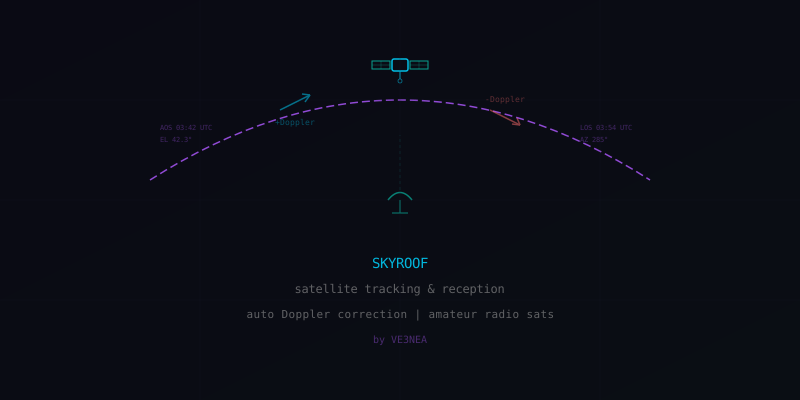
SkyRoof: Satellite Tracking and Amateur Radio Reception with Automatic Doppler Correction

New satellite tracking application by VE3NEA enables real-time amateur radio satellite reception with automatic Doppler frequency correction, solving one of the biggest pain points for satellite operators.

Read source

Demonstrated by Tech Minds, SkyRoof is a satellite tracking application developed by VE3NEA (the creator of other well-known amateur radio software). It integrates satellite pass prediction with real-time SDR reception and automatic Doppler correction.

The Doppler problem: Satellites in low Earth orbit move at ~7.5 km/s relative to ground stations. This causes significant frequency shift — a 145.800 MHz signal can shift by ±3.5 kHz during a single pass. Without compensation, the signal drifts out of your receiver’s passband. SkyRoof handles this automatically, continuously adjusting the receive frequency to compensate.

What Tech Minds demonstrated:

• Successfully received and decoded amateur radio voice transmissions from orbiting satellites
• Real-time satellite position tracking with pass predictions
• Automatic Doppler correction keeping signals centered throughout each pass
• Integration with RTL-SDR and compatible SDR hardware

Amateur radio satellites you can receive:

• ISS (ARISS voice repeater and SSTV events)
• AO-91, AO-92 (FM voice repeaters)
• CAS-4A/B, XW-2 series (linear transponders)
• RS-44 (high-orbit linear transponder)
• Various CubeSats with telemetry beacons

Why it matters: Satellite reception is one of the most rewarding SDR projects, but Doppler correction has always been a manual headache. SkyRoof automates it, making satellite listening accessible to anyone with an RTL-SDR and a basic antenna.

Press / to search